How reliable is cloud backup and restore for small businesses in Columbia, SC?

Adam Quan is the President of Columbia IT Solutions, an award-winning provider of managed IT services to over 200 businesses and nonprofits in the Southeast.

For small businesses in Columbia, SC, safeguarding critical data is not just an option, it is a necessity. In an era where digital operations are paramount, understanding the reliability of cloud backup and restore solutions is crucial. This technology offers a robust defense against common threats like hardware failures, cyberattacks, and natural disasters, ensuring your business can quickly recover and continue operations.
Key Insights
Cloud backup offers robust data protection – It securely stores your vital business information off-site, protecting it from local disasters such as fires, floods, or theft. These incidents pose significant risks in any physical location, including Columbia.
Data recovery speed is critical for SMBs – Fast restore capabilities minimize downtime after an incident. This prevents substantial financial losses and maintains customer trust for local Columbia businesses.
Hybrid solutions enhance reliability – Combining local backups with cloud storage provides multiple layers of redundancy. This also offers faster access to frequently needed data, creating a balanced approach to data security.
Security and compliance are non-negotiable – Reputable cloud providers implement advanced encryption and adhere to strict data privacy standards like HIPAA or PCI DSS. These are crucial for many Columbia-based industries such as healthcare and finance.
Proactive monitoring is essential – Consistent oversight of backup processes ensures data integrity and confirms that backups are always current and recoverable. This prevents unpleasant surprises during an actual data recovery event.
Understanding Cloud Backup Solutions and Disaster Recovery
In today’s fast-paced digital world, small businesses in Columbia, SC face constant threats to their data. A sudden system crash, an accidental deletion, or a malicious cyberattack can bring operations to a grinding halt. This is where cloud backup and restore emerges as a vital tool. It moves your data off-site to secure, remote servers managed by a third party.
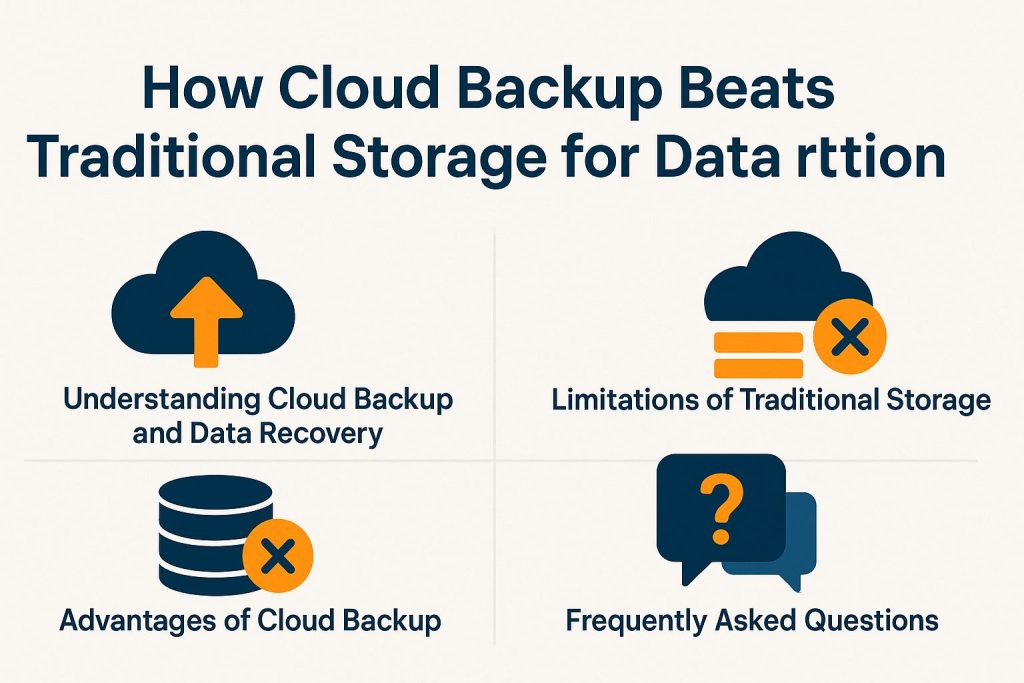
The primary benefit of this approach is protection against data loss. Unlike traditional on-premise backups, which are vulnerable to the same local incidents as your primary systems, cloud backups reside in geographically dispersed data centers. Consequently, even if your office experiences a power outage or a physical disaster, your crucial information remains safe and accessible. Furthermore, cloud solutions often provide automated backups. This reduces the risk of human error and ensures that your data is always current.
Many Columbia companies are discovering the inherent advantages of cloud solutions. For example, a law firm in downtown Columbia needs to ensure client records are immutable and always available, regardless of local disruptions. Similarly, a local retail business relies on its sales data and inventory management systems to operate smoothly. Cloud solutions offer a straightforward path to achieving these objectives. They also offer scalability, allowing businesses to expand their storage as their needs grow without significant hardware investments. This flexibility is particularly appealing to growing small and medium-sized businesses (SMBs).

The Pillars of Reliable Cloud Backup Services
The reliability of cloud backup and restore hinges on several key factors. Understanding these elements helps small business owners in Columbia make informed decisions about their disaster recovery planning.
Redundancy and Data Centers for Enhanced Data Security
Reputable cloud backup providers utilize multiple data centers, often in different geographical locations. This redundancy means your data is not stored in just one place. If one data center experiences an issue, your data is still available from another. This distributed architecture significantly reduces the risk of data loss due to a localized disaster.
These data centers are built with enterprise-grade infrastructure. They feature redundant power supplies, advanced cooling systems, and robust network connectivity. Furthermore, physical security measures, such as biometric access controls and 24/7 surveillance, protect the servers from unauthorized access. This multi-layered approach ensures a high level of availability and data security for your business data.
Encryption and Advanced Security Protocols
Security is a paramount concern for any business storing data off-site. Leading cloud backup services employ strong encryption methods both during data transmission (in-transit) and while data is at rest (in storage). This ensures that your information is unreadable to anyone without authorization. For instance, AES 256-bit encryption is a common standard, offering military-grade protection.
Beyond encryption, providers implement various security protocols. These include multi-factor authentication, intrusion detection systems, and regular security audits. These measures are designed to protect against cybersecurity threats like ransomware, phishing, and data breaches. For businesses handling sensitive customer data, such as those in financial IT services, these security layers are non-negotiable. Therefore, they form a crucial part of any managed backup services.
Automated Backups and 24/7 Monitoring
One of the most significant advantages of cloud backup is automation. Once configured, backups occur automatically on a scheduled basis, whether hourly, daily, or weekly. This eliminates the need for manual intervention, which is prone to error and oversight. Automation ensures that your data is consistently backed up without requiring constant attention from your staff. You can rely on these systems to keep your data safe. 24/7 IT monitoring also plays a key role.
Furthermore, many cloud solutions provide continuous monitoring and reporting. This means you receive alerts if a backup fails or encounters an issue. This proactive approach allows for quick resolution, preventing gaps in your data protection. Regular checks and verifications ensure that the backed-up data is indeed recoverable and free from corruption. Therefore, the automation paired with monitoring offers peace of mind for small businesses.
The Restore Process: Speed, Simplicity, and Business Continuity
A reliable backup is only half the equation; the ability to restore data quickly and efficiently is equally, if not more, important. Downtime can be incredibly costly for small businesses, leading to lost revenue, decreased productivity, and damaged reputation. This is where system restoration capabilities shine.
Fast Recovery Times and RTO/RPO Objectives
Cloud backup solutions are designed for rapid recovery. Unlike physical backups that might require manual transportation and installation, cloud data can be accessed and restored remotely over the internet. This capability significantly reduces your Recovery Time Objective (RTO) – the maximum tolerable downtime. For many Columbia businesses, minimizing RTO is critical for business continuity.
Depending on the amount of data and your internet connection speed, you can restore individual files, entire folders, or even complete system images. This flexibility allows businesses to tailor their recovery strategy to the specific incident. Moreover, some advanced solutions offer ‘bare metal restore’ capabilities, meaning you can restore an entire operating system and applications to new hardware, minimizing setup time. These capabilities help meet your Recovery Point Objective (RPO), ensuring minimal data loss.
Ease of Use for Small Business Solutions
Most cloud backup and restore platforms feature intuitive user interfaces, making the recovery process straightforward even for non-IT professionals. With a few clicks, you can browse through your backed-up files, select the versions you need, and initiate a restore. This simplicity is invaluable for small businesses that may not have dedicated IT staff.
Training employees on the restore process is often minimal. This empowers them to retrieve accidentally deleted files without waiting for IT support. This self-service capability can further reduce downtime and improve overall operational efficiency. It is a significant advantage over complex, manual recovery procedures, making it ideal for small business solutions.

Hybrid Backup Solutions: The Best of Both Worlds for Columbia Businesses
While pure cloud backup offers significant advantages, many businesses find a hybrid backup solutions approach provides optimal reliability. This strategy combines local on-premise backups with off-site cloud storage, offering comprehensive disaster recovery and backup services.
Combining Local and Cloud Backup for Redundancy
With a hybrid model, frequently accessed data or mission-critical applications might be backed up locally for the fastest possible recovery. Meanwhile, all data is also replicated to the cloud for complete disaster protection. This setup ensures that you have immediate access to recent backups while maintaining an off-site copy for severe incidents.
For small businesses in Columbia, this can mean restoring a recent file from a local server in minutes. It also provides the assurance that all historical data is safe in the cloud. This layering of backup locations offers superior resilience. It creates redundant copies, meaning if one backup fails or is inaccessible, another is ready to use. This combination offers robust local backup and disaster recovery.
Enhanced Disaster Recovery Planning and Ransomware Recovery
A hybrid approach significantly strengthens your overall disaster recovery plan. It addresses different recovery scenarios, from minor data corruption to catastrophic site failures. This comprehensive strategy is particularly important in areas prone to specific natural events, allowing for robust resilience. It ensures that businesses can recover from almost any data-related challenge, offering peace of mind. Furthermore, a well-implemented hybrid solution is crucial for effective ransomware recovery. It provides clean, uninfected versions of your data from both local and cloud repositories.
Choosing the Right Managed IT Services Partner in Columbia, SC
Selecting the appropriate provider for your cloud backup restore Columbia SC needs is a critical decision. Not all services are created equal, and the right partner will align with your business’s specific needs and regulatory requirements.
Why Choose Us for Backup and Disaster Recovery Services?
When evaluating providers, consider factors such as:
- Storage Capacity and Scalability: Does the solution offer enough storage for your current needs and allow for easy expansion as your business grows?
- Security Features: What encryption protocols, authentication methods, and physical security measures are in place? Look for certifications like ISO 27001.
- Compliance: Does the provider meet industry-specific regulatory compliance standards (e.g., HIPAA for healthcare, PCI DSS for e-commerce, FINRA for finance)?
- Recovery Options: How granular are the restore options? Can you recover individual files, folders, or entire systems? What is the estimated RTO?
- Pricing Model: Is the pricing clear, predictable, and scalable? Are there hidden fees for data recovery or storage overages?
- Support: What kind of technical support is available? Is it 24/7? Do they offer local support or just remote?
For many small businesses, partnering with a local managed IT services provider in Columbia can be highly beneficial. These providers understand the local business landscape, specific challenges, and can offer personalized support and rapid on-site assistance when needed. They act as your technology partner, guiding you through complex decisions and implementing best practices tailored to your operations. Therefore, this local expertise is why people trust our data recovery service.

The Bottom Line: Why Data Backup is a Smart Investment
For small businesses throughout Columbia, SC, investing in a reliable cloud backup and restore solution is no longer a luxury. It is a fundamental component of business resilience. The ability to quickly recover from data loss incidents can mean the difference between a minor inconvenience and catastrophic business failure. With robust security, automated processes, and flexible recovery options, cloud solutions provide an unparalleled level of data protection.
Furthermore, cloud backup solutions free up your internal resources. You won’t need to dedicate staff to managing tapes, external hard drives, or complex on-site backup systems. Instead, your team can focus on core business activities, knowing that your data is safe and easily recoverable. This efficiency gain contributes directly to productivity and cost savings over time. Moreover, understanding why data backup is essential is the first step towards a more secure operation.
We encourage businesses to consult with IT experts to assess their unique needs and design a tailored backup strategy. This proactive step ensures that your chosen solution is not just reliable but also perfectly aligned with your operational goals and budget. Remember, the best time to think about data recovery is before you need it. By taking preventative measures today, you can safeguard your future. For more insights on safeguarding your business, consider reviewing resources from organizations like the Cybersecurity & Infrastructure Security Agency (CISA), which offers guidance on data protection practices.
Protect Your Business Data in Columbia, SC!
Don’t wait for a data disaster to strike. Ensure your business is protected with a reliable cloud backup and restore solution tailored for your specific needs in Columbia, SC.
Get a free consultation for your data backup strategy today!
Frequently Asked Questions
What are disaster recovery and backup services?
Disaster recovery and backup services are comprehensive strategies and tools designed to protect an organization’s data and IT infrastructure from potential threats. Backup services involve making copies of data and storing them in a secure location, while disaster recovery focuses on the processes and policies to restore business operations and data quickly after a disruptive event, ensuring business continuity and minimizing downtime.
How does the data recovery process work?
The data recovery process typically begins with an assessment of the damage and identification of the most recent intact backup. Users or IT administrators then initiate a restore operation through a management console. They select the specific files, folders, or entire system images needed, along with the desired restoration point. Data is then securely downloaded from the cloud storage to the designated systems, allowing for the resumption of normal operations. This entire process is often guided by predefined RTO and RPO objectives.
How much will data recovery cost?
The cost of data recovery varies significantly depending on several factors. These include the amount of data lost, the complexity of the recovery (e.g., individual files versus entire system restoration), the service level agreement with your provider, and whether it’s part of a routine backup plan or an emergency recovery. Typically, subscribing to a comprehensive cloud backup service includes recovery capabilities within the monthly fee, but emergency, non-backed-up data recovery can incur higher, specialized fees.
What is the difference between cloud backup and cloud storage?
Cloud backup is a system designed specifically for data protection and recovery, typically offering versioning, encryption, and automated scheduling to ensure business continuity. Cloud storage, conversely, is primarily for active file sharing and collaboration, like Google Drive or Dropbox. It generally lacks the robust recovery and security features essential for comprehensive business backup, focusing more on accessibility and collaboration.
Is cloud backup secure enough for sensitive customer information?
Yes, reputable cloud backup providers employ advanced security measures, including end-to-end encryption, multi-factor authentication, and robust physical security for their data centers. When chosen carefully and configured correctly, cloud backup can be highly secure and compliant with industry regulations like HIPAA or PCI DSS, making it suitable for sensitive data. It is crucial to vet providers for their security certifications and compliance adherence.